Feature 20 · Operations
Operations console
One console runs the whole day.
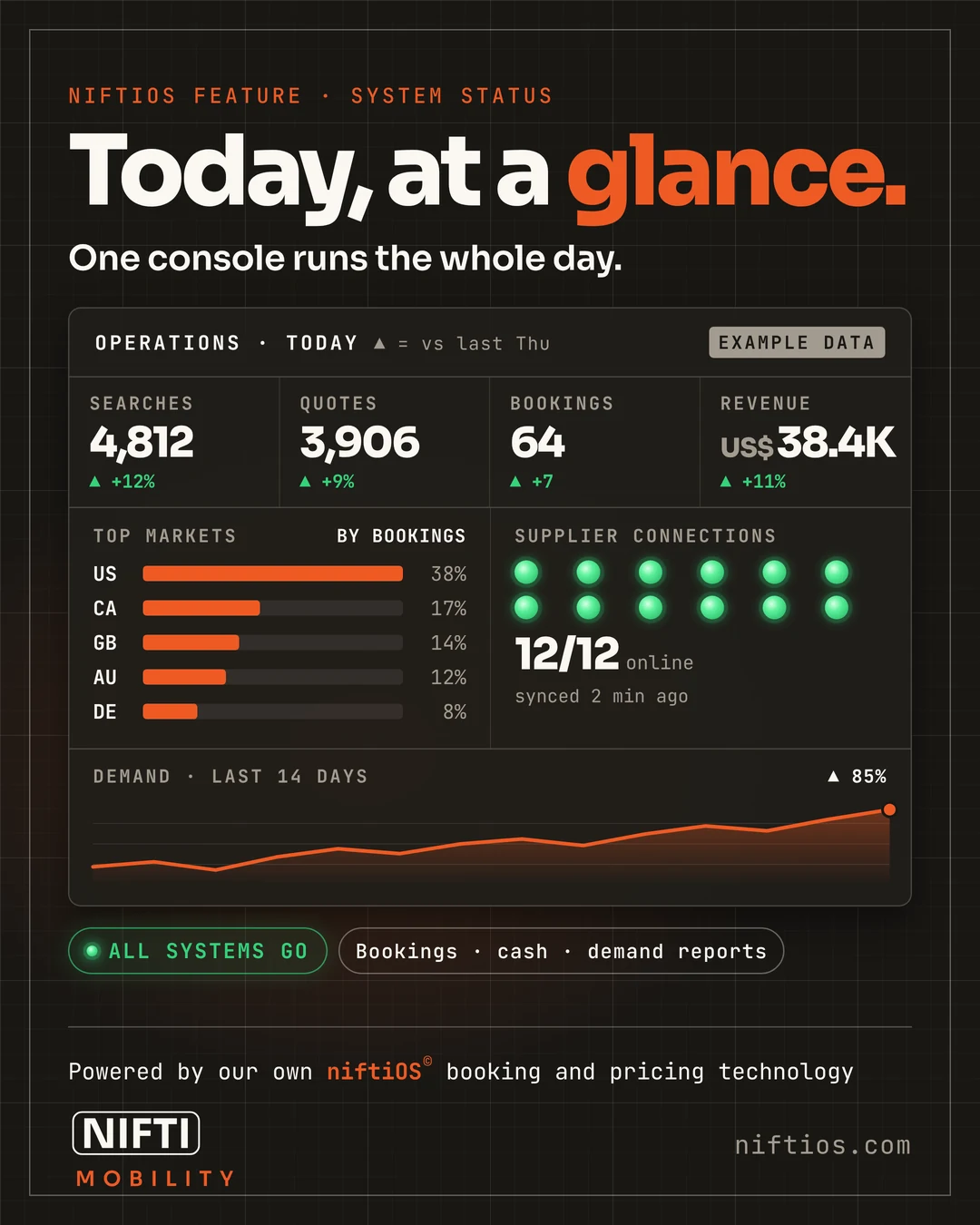
The system status page shows how fast each supplier connection is answering, how searches turn into bookings step by step, revenue for the day and what travelers are asking. A live "needs attention" list sits beside every console, so anything that needs a person is right in front of you.
From there, your team can review and approve bookings, take payment, add notes and adjust a booking with its full history kept. Staff can price live options for a caller, book on the spot or send a numbered quote, and the console price always matches the site. If something ever needs to stop, one switch pauses new bookings.
Named staff accounts mean one login across every console.
Questions
Can staff book for a customer on the phone?
Yes. Staff price live options, book, or send a numbered quote, at the same price the site shows.
Is every change to a booking recorded?
Yes. Bookings keep their full history, including money adjustments.
Can we stop taking bookings quickly?
Yes. One switch pauses new bookings.
See operations console working.
A short demo on a live system, with Sample Rentals data.
Powered by our own niftiOS© booking and pricing technology.